REVIEW · NAPLES
Naples: Pompeii Self Guided Audio Tour
Book on GetYourGuide →Operated by ITGUIDES · Bookable on GetYourGuide
Pompeii becomes easier when it talks back. This self-guided smartphone audio tour turns the site into a sequence of geolocated points—so you’re not wandering like a confused extra in a Roman movie. I like that the guide is built for your pace, not a fixed group schedule, and that you can jump around to the best-preserved spots.
A pair of things I especially like: the 60+ audio/photo/text stops with map support, and the fact that you keep access to the content so you can reuse it on a later visit. One thing to plan for: you must download the materials ahead of time, because cellular service inside the excavations can be unreliable.
ITGUIDES gives you a practical way to understand the big landmarks—amphitheater, House of the Vettii, lupanare (brothel), and more—without hunting for signage or reading everything on the walls. You also get guidance in multiple languages, and the navigation tools help you find what to hit next. A real-world consideration: if the app loses your place after you leave it (say, to take photos), you may need to re-open the map and re-find your location.
One practical setup note from firsthand experiences: people report quick help during setup (for example, names like Vincenzo show up in support notes), but you’ll still want a smooth phone workflow before you enter the site gates.
In This Review
- Key Points That Matter Before You Buy
- What You Get Inside the ITGUIDES App (and Why It Works)
- Price Value: Why $4.70 Can Beat the On-Site Audioguide
- Setting Up Before You Enter: Your Biggest Win
- The Map-and-Audio System: How You’ll Actually Navigate
- Your 4-Hour Window: A Realistic Way to Plan
- Amphitheater to House of the Vettii: What You’ll Learn at the Big Stops
- The Amphitheater: More Than a Venue
- The House of the Vettii: How a Home Speaks
- The Lupanare: A Roman Reality Check
- Baths, Taverns, and Daily Food
- The Fun (and Strange) Details: Bread, Urine, and Wool Processing
- App Quirks and Phone Reality Checks
- Best for Who? (And When a Human Guide Makes Sense)
- Should You Book This Pompeii Self-Guided Audio Tour?
- FAQ
- Do I need a Pompeii entrance ticket for this audio tour?
- Is there a meeting point with this tour?
- How long is the guide valid after I activate it?
- Does the guide work without good internet in Pompeii?
- How do I get the audio guide on my smartphone?
- Are there multiple languages available?
- What is included in the package?
- What’s not included besides the ticket?
- Is this activity wheelchair accessible?
- Can I cancel and get a refund?
- Is there a free demo before purchasing?
Key Points That Matter Before You Buy
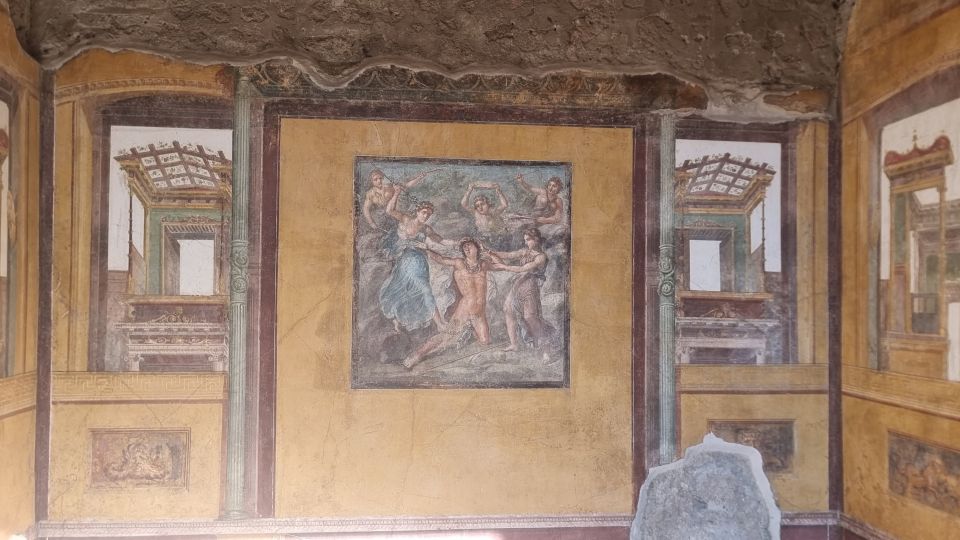
- 60+ geolocated points with audio/photo/text, so you’re guided by location, not guesswork.
- Keep the audio guide forever and reuse it later instead of buying another on-site guide.
- Save 50%+ versus the ticket office audioguide, which is big for a site this popular.
- Offline-ready advice: download locally first, since internet is often weak in Pompeii.
- Map progress markers can help you track what you’ve listened to, with a few app quirks.
- Easy start, no meeting point: you choose where and when to begin within the site’s open hours.
What You Get Inside the ITGUIDES App (and Why It Works)
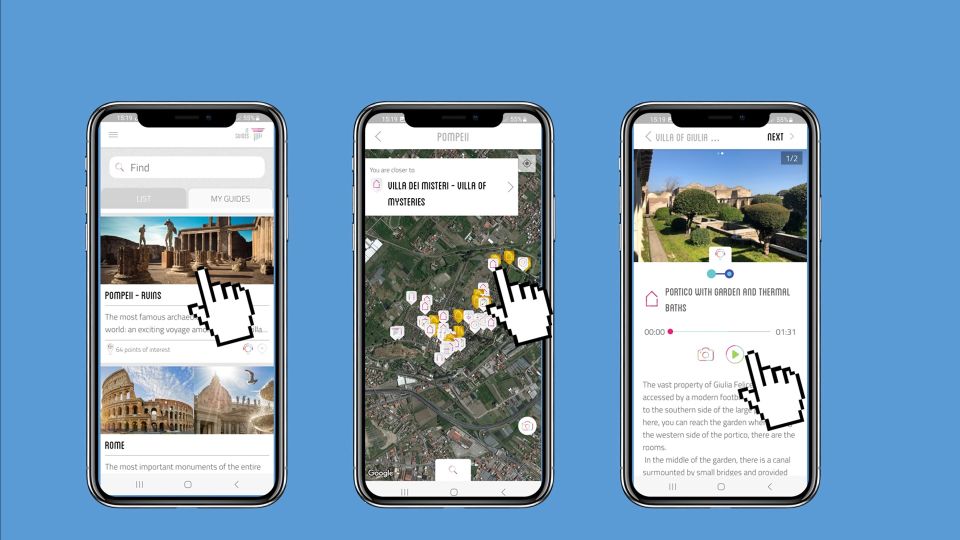
This is an on-your-phone audio guide for Pompeii through the ITGUIDES app. After you purchase, you download ITGUIDES, then follow the redemption steps in your voucher by sending your app user ID and your order number so the Pompeii guide can be accessed in the app catalog. Once it’s activated, you’re set up for a self-guided walk.
What makes it feel useful (not just educational) is the way it’s organized. Instead of one long narrative, you’re guided by location: multiple points of interest are marked on a map and paired with audio and extra material like photo and hypertext descriptions. That matters because Pompeii is wide, and you don’t want to spend your limited time figuring out where the “next thing” is.
And yes, it’s meant for real site conditions. The guide itself also tells you to download the contents locally before you go—a smart move because internet reception in the excavations can be spotty.
You can also read our reviews of more guided tours in Naples



Price Value: Why $4.70 Can Beat the On-Site Audioguide
At $4.70 per person, this stands out for one simple reason: it’s not just cheaper—it’s cheaper in a way that still lets you see the core Pompeii highlights. The description claims you save more than 50% compared with the ticket office audioguide, and that lines up with how most people judge value at Pompeii: you’re paying to get orientated and informed, not paying for a fancy experience.
You also get something that’s rare with day-of attractions: the audio guide is yours for future visits. That means if you come back (or if your travel style is “I want to re-check details later”), you’re not stuck with something you can only use once.
The other value angle is pacing. You’ve got up to 4 hours of validity from first activation, and you’re free to start where you want. That can help you squeeze in a meaningful Pompeii visit even if your schedule is tight.
Setting Up Before You Enter: Your Biggest Win
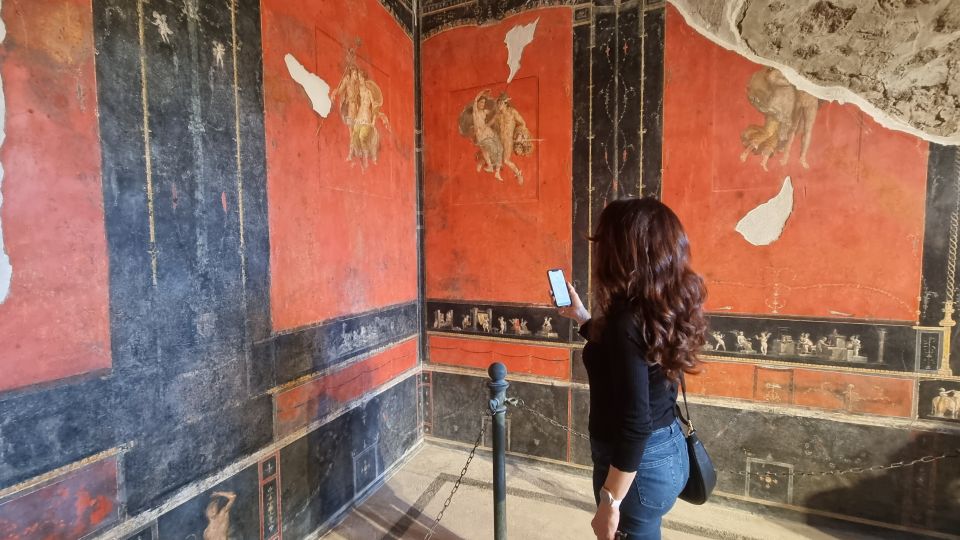
Pompeii is not the place to troubleshoot your phone. The guide is designed with that reality in mind: you should download the contents with a good signal or Wi‑Fi before you arrive, because connectivity isn’t great once you’re inside the archaeological site.
Here’s the practical mindset I’d bring: treat your first 20 minutes as the “prep phase,” not part of the sightseeing. If your phone is at low battery, charge it. If you haven’t downloaded the guide content, do it before you walk in.
The guide also notes a free demo is available in the app, so you can test audio and navigation style early. If you’re the kind of person who hates reading instructions, at least use the demo to confirm the app layout feels comfortable.
Some people also reported good support during activation. Names like Vincenzo show up in accounts of quick assistance with setup and unlocking the audio guide on their smartphone. Even if your setup is smooth, it’s comforting to know there’s human help if you get stuck.
The Map-and-Audio System: How You’ll Actually Navigate

The heart of this guide is the geolocated map. More than 60 points of interest are available, and as you walk, the app helps you find where you are relative to those stops. In practice, that turns Pompeii from an overwhelming expanse into a set of targeted mini-missions.
A neat feature for many users is progress tracking. Some reports mention check marks on the map that indicate you’ve listened to certain points. That’s useful because Pompeii is so dense with details that it’s easy to lose track of what you already covered.
Just know there are a couple of quirks. One review noted that when there are multiple audio clips at one location, the check mark might not appear correctly even if both clips play. Another review complained that after listening, the app jumps you back to the map and zooms out—so you have to zoom back in to re-find your location.
None of that makes the guide unusable. It does mean you should expect occasional small tap-work. If you’re the kind of traveler who gets annoyed by app friction, you’ll want to keep your phone handling simple: stay in the app while you listen.
Your 4-Hour Window: A Realistic Way to Plan
The guide’s validity is listed as 4 hours from first activation. That doesn’t mean you must be rushed, but it does mean you should decide your “must-see” set before you start wandering.
A smart approach is to pick a few headline stops and then let your map choices fill in the gaps. The content is built around major, recognizable Pompeii themes: public entertainment (amphitheater), domestic life (houses), everyday industry and household routines (like food and bread), and even the less family-friendly side of Roman urban life (the lupanare).
If you’re worried you’ll feel behind, you can focus on the points that are best preserved and easiest to recognize on site. The guide’s descriptions and map help you aim for those spots instead of trying to read everything you pass.
Also keep in mind that Pompeii includes restoration work, and some areas may be closed at different times. The guide can’t control closures, but it’s built around key sites that usually remain the best choices when parts of the complex are temporarily off-limits.
You can also read our reviews of more tours and experiences in Naples






Amphitheater to House of the Vettii: What You’ll Learn at the Big Stops

Pompeii is famous for the big names—and the audio guide is structured so you can understand those landmarks in context instead of just snapping photos.
The Amphitheater: More Than a Venue
You’ll hear stories and curiosities connected with the amphitheater, with the guide helping you understand what you’re looking at when you stand in the seating and imagine crowd noise. This kind of framing is valuable because Pompeii’s stone shapes can feel generic until someone tells you what they were used for.
What I like here is that it’s not only about the building. It’s also about how the Romans experienced public entertainment, which gives you a mental picture while you walk.
The House of the Vettii: How a Home Speaks
At the House of the Vettii, the audio focuses on domestic life—how these spaces functioned and what the preserved rooms can tell you. Houses in Pompeii are like time capsules, but they can be confusing without a guide to translate what rooms were for and why certain decorations mattered.
The practical benefit: the map and point-of-interest system helps you move from room to room without feeling lost. This is exactly where a self-guided approach can beat a generic audio track—because your phone is telling you what to look at next.
The Lupanare: A Roman Reality Check
The guide includes the lupanare (brothel) and describes it as part of the city’s functioning. This is where a good audio guide earns its keep. Pompeii isn’t only about polite homes and murals—it’s also about how everyday people lived, worked, and sought entertainment.
If you’re sensitive to topics like this, just know it’s included and explained as part of the broader Pompeii picture.
Baths, Taverns, and Daily Food
The audio also covers Roman baths, including how the baths worked—useful because bath complexes have systems (heat, water flow, movement through spaces) that you might not catch just by looking. You’ll also hear what people ate in Roman taverns and how bread was made.
That bread-and-food material is particularly satisfying because you can look at the physical traces and connect them to daily routines. When a guide helps you link stone to habits, Pompeii stops feeling like a set of ruins and starts feeling like a lived-in city.
The Fun (and Strange) Details: Bread, Urine, and Wool Processing

One of the most memorable parts of this guide is the willingness to include the odd, human-scale details. The description calls out how urine was used for wool processing, plus other practical topics like bread making.
I like guides that don’t sanitize the past. These details make Pompeii feel real because they’re about work and survival—not only politics and architecture.
You don’t have to agree with everything the Romans did (that’s easy). But understanding the mechanics of their world helps you make better sense of what you’re seeing.
App Quirks and Phone Reality Checks

This guide generally gets strong feedback on clarity, maps, and ease of use. Many reports describe it as easy to operate, with audio that’s informative and short enough to stay focused. One review also mentioned that some recordings can be listened to before and during the tour, which can help you preview your route.
Still, a few things can slow you down:
- If you leave the app to take photos, some reports say it may restart when you return, costing you time.
- The map experience can be awkward if the app zooms out after playing audio, which means more tap-work to get your position back.
- Progress markers may not always reflect multi-clip points accurately.
My advice: keep your phone battery solid, keep the app open while listening, and be patient with map behavior. Pompeii already gives you enough steps; you don’t want to add extra frustration.
Best for Who? (And When a Human Guide Makes Sense)
This works best for travelers who like control. If you enjoy choosing your own route, picking your speed, and spending more time where you care most, you’ll likely love the flexibility.
It also fits well if you’re visiting under time pressure. With a 4-hour validity window and a plan driven by map stops, you can build a satisfying route without waiting for a group.
Where it might not be perfect is if you want a live Q-and-A or a single narrative thread from start to finish. One review even compared it to a longer guided approach and wished for more time with a human-style guide, which is a fair point: an audio guide gives structure, but it can’t respond to your questions.
If you’re bringing kids or you just want to keep learning without reading every sign, this still can be a great fit. The guide includes multiple languages—Italian, English, French, German, and Spanish.
Should You Book This Pompeii Self-Guided Audio Tour?
Yes, if your priority is value, independence, and a guided route that still lets you wander. At $4.70 and with the claimed 50%+ savings versus the ticket office option, it’s one of the more budget-friendly ways to get real interpretation at Pompeii.
Book it especially if you’re the type who enjoys figuring things out in the moment: stand in the amphitheater, then immediately hear what it was for; move through the House of the Vettii, then get context for the rooms; and use the map to avoid dead ends.
Skip it (or pair it with a different approach) if you know your phone setup will be a struggle, you hate downloading offline files, or you want a fully guided experience with live explanations. This is an app-based guide, and the main requirement is that you handle your phone basics before you enter.
FAQ
Do I need a Pompeii entrance ticket for this audio tour?
Yes. The Pompeii site entrance ticket is not included. You’ll need to arrange entry separately, then use the audio guide on site.
Is there a meeting point with this tour?
No. It’s self guided with no meeting point. You can start where you want based on the ruins’ open time.
How long is the guide valid after I activate it?
It’s listed as valid for 4 hours from the first activation.
Does the guide work without good internet in Pompeii?
You should plan for offline use. The instructions say internet connection is not good in the archaeological site, and you should download the contents locally before going.
How do I get the audio guide on my smartphone?
Download the ITGUIDES app from your phone store, then use the voucher instructions to send your app user ID and your order number so the Pompeii guide can be accessed in the app.
Are there multiple languages available?
Yes. The guide lists Italian, English, French, German, and Spanish.
What is included in the package?
You get access to audio guides in the ITGUIDES app for Pompeii, geolocated content, a map, and the audio itself. You also receive instructions on redemption through the voucher.
What’s not included besides the ticket?
The Pompeii site entrance ticket is not included. There’s also no meeting point because it’s an autonomous smartphone activity.
Is this activity wheelchair accessible?
The activity is listed as wheelchair accessible.
Can I cancel and get a refund?
Free cancellation is listed as available up to 24 hours in advance for a full refund.
Is there a free demo before purchasing?
Yes. The information says you can download the ITGUIDES app for free and try the free demo before buying.
If you want, tell me your walking style (hit the big sights fast vs. linger in houses), and I’ll suggest a tight Pompeii “4-hour” route that matches how this app is set up.